
Enterprise Storage That Scales With Your Data
Never Lose Access to Critical Information Again.
The Storage Problem At a Scale
Storage is one of those things organisations neglect until a crisis forces attention. A hard drive fails without warning. A year of work is suddenly inaccessible. Or worse, a year of client data, patient records, production footage, or critical business information is gone.
Most organisations patch this problem with external drives. One person buys a USB drive for their backups. Another department sets up an external hard drive in a server closet and calls it “disaster recovery”. Individual solutions that work until they do not.
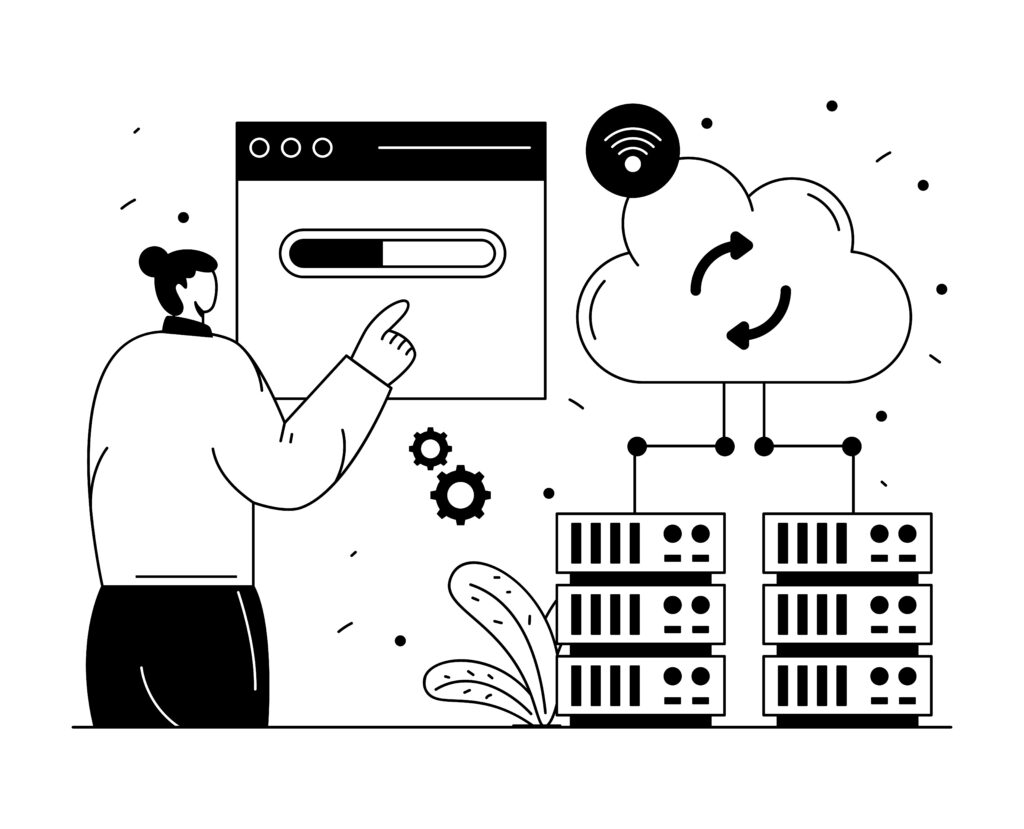
The problems organisations face without proper storage infrastructure

Single hard drive failures are causing data loss
No backup redundancy, the backup device fails too

Slow data access speeds due to undersized storage
No disaster recovery if the building is lost

Lack of visibility into what data is being stored and where
Compliance violations (cannot prove data retention)

Inability to share storage securely across departments
Performance bottlenecks when multiple users access storage simultaneously

No automated backup reliance on manual processes
Understanding Storage Options
Storage architecture depends on scale, usage patterns, and budget. Vega designs solutions across three main categories:
DAS: Direct Attached Storage (Small to Medium Organisations)

NAS: Network Attached Storage
SAN: Storage Area Network (Large Enterprises)
DAS: Direct Attached Storage (Small to Medium Organisations)
DAS is a type of storage that connects to the user’s single computer. It is a type of external storage system that has an inbuilt data protection system.
Use Cases:
- Backing up a laptop or desktop.
- Storing important business files in offices.
- Having an added backup of critical data for protection
Characteristics:
- Easy to set up and use.
- Cost-effective for individuals and small businesses.
- Supports RAID for added data protection.
- Best suited for a single computer or user.
- Not designed for shared access across teams
Example: A freelancer or small business uses a DAS device to back up client files and keep them protected with RAID.
NAS: Network Attached Storage
The NAS storage system is connected to your office network. It allows multiple users to access the same files across different computers. It works best for growing organisations that demand an increasing storage space. A shared storage space that everyone in the office can use to store and share data across.
Use Cases:
- Sharing files across teams and departments.
- Collaborating on projects from a central location.
- Supporting editing teams that need access to the same media files.
- Managing access to folders based on departments or user roles.
Characteristics:
- Accessible over your office network.
- Multiple users can work at the same time.
- Folder access can be controlled for different teams.
- RAID helps protect data if a drive fails.
- Acts as a central location for file storage and backups.
- Well suited for small and growing teams.
Example: A media production company uses NAS as a shared storage system. Multiple video editors can work on different projects at the same time while accessing the same footage from one central location
SAN: Storage Area Network (Large Enterprises)
This is a high-performance storage solution for large enterprises, the ones that operate across multiple locations and geographies.
Use Cases:
- Large organisations with thousands of users.
- Data centres and enterprise IT environments.
- Hospitals storing medical images and patient records over many years.
- Businesses that need fast access to large volumes of data
Characteristics:
- Designed to store very large amounts of data.
- Delivers fast performance, even when many users access it at the same time.
- Built with multiple layers of data protection, including RAID, backups, and disaster recovery.
- Keeps data available even if a storage device or site goes offline.
- Designed for businesses where uptime and reliability are critical.
Example: A hospital stores CT and MRI scans for thousands of patients over many years. If a storage drive fails, the system keeps the backup data available. If the primary storage is affected by an outage or disaster, the images can be recovered from a backup location as part of the hospital’s disaster recovery plan.
Backup And Disaster Recovery
RAID protects you against hardware failure. But what if the entire storage system is lost to fire, flood, theft, or catastrophic failure?
This is why enterprises need backup and disaster recovery architecture.
Automated Backup Architecture
At Vega, we design storage systems with automated backup that:
- Runs on a schedule without manual intervention
- Backs up to a separate physical location
- Maintains multiple backup versions
- Tests backup restoration regularly
Disaster Recovery Planning
For mission-critical data, we design complete disaster recovery:
- Production storage in Location A
- Backup storage in Location B
- Regular synchronisation between locations
- Tested failover procedures
- Recovery time objectives (RTO) and recovery point objectives (RPO) defined and met
If the primary storage fails for any reason, you activate the backup and resume operations with minimal data loss.

Why Organisations Choose Vega For Storage
Many storage solutions focus only on the hardware. At Vega, we start by understanding how your business uses data and what your storage needs are.
We look at how many people will access the data, how quickly it’s growing, how often it needs to be backed up, and how quickly it should be recovered. We also consider your compliance requirements and future plans before recommending the right storage architecture for your business.
We Implement Across Industries

Broadcasting
Shared storage for editing teams working on the same media files at the same time.

Manufacturing
Centralised storage for CAD drawings, production files, and quality records.
Each industry has different requirements. We have solved them all.
Storage Partner Brands We Trust
All partners provide enterprise-class reliability, warranty support, and regular updates.



Ongoing Support & Optimisation
It needs:
Regular performance monitoring
Capacity planning as data grows
Updates and patches
Backup testing and validation
Disaster recovery drills
Vega provides all of this as ongoing managed services.
Storage Solution Capabilities
NAS & SAN Design & Deployment
Storage solutions planned and deployed to match your business requirements.
RAID Configuration
Data protection configured to suit the level of redundancy your business needs.
Installation & Setup
Professional installation, cabling, and integration with your existing network.
Backup Setup
Automatic backup solutions using local, cloud, or hybrid storage.
Data Migration
Safe transfer of data from your current storage system to the new environment.
Data Protection
Backup and redundancy measures to help keep your data safe.
Disaster Recovery
Recovery plans and backup systems to help restore data after an unexpected event.
Performance Optimisation
Storage configured for fast access and smooth performance as your data grows.
Monitoring & Support
Ongoing monitoring with technical support when issues arise.
Access Control
User and folder permissions based on your organisation's requirements.
Training & Documentation
User guidance and documentation to help your team manage the storage system confidently.
Who Needs Enterprise Storage
If Any of This Sounds Like Your Organisation, You Need Proper Storage Architecture:
Broadcasting & Media Companies
Shared storage for production teams working with large media files. Multiple editors can access the same content while keeping projects moving on schedule.

Healthcare Systems
Secure storage for medical images and patient records with support for long-term data retention and healthcare compliance requirements.
Manufacturing & Engineering
Centralised storage for CAD drawings, production data, and quality records that need to be shared across teams.

Financial Services
Reliable storage for business-critical data with backup, audit support, and high availability.

Education & Research
Storage for research data, student records, and institutional information that needs to be securely retained and easily accessed.

Growing Enterprises
Ideal for organisations that have outgrown external hard drives and need a centralised storage solution that can grow with the business .
The Storage Assessment & Deployment Process
Current State & Requirements Assessment
We audit your current storage setup:
- What storage do you have now? (external drives, existing NAS, legacy systems?)
- How much data are you storing?
- How fast is your data growing?
- Who accesses what data? (How many concurrent users?)
- What is your recovery requirement? (How quickly must you recover if something fails?)
- What compliance requirements apply? (Data retention, audit trails, etc.)
- What is your budget?
Storage Architecture Design
Based on the assessment, we design a storage architecture:
- DAS, NAS, SAN, or combination?
- Capacity to support growth (usually 18-24 months of projected growth
- Performance optimised for your usage patterns.
- RAID level appropriate to your data criticality
- Backup and disaster recovery strategy
- Budget-appropriate implementation
Equipment Procurement
We source and procure the right hardware from our partner manufacturers
Installation & Data Migration
We install hardware, configure RAID and networking, and migrate data from your existing storage to the new system, typically with zero downtime.
Backup & Disaster Recovery Setup
We configure automated backup, test it, and document recovery procedures.
Staff Training & Documentation
Your IT team learns how to:
- Monitor storage health
- Add capacity as data grows
- Manage user access and permissions
- Perform and restore backups
- Respond to storage issues
- Execute disaster recovery if needed
Ongoing Monitoring & Support
Vega provides ongoing monitoring, regular backup testing, capacity planning, and rapid support for any issues.
Frequently Asked Questions
If you have more than one person accessing files, or if data loss would be catastrophic, you need enterprise storage. Enterprise storage is an investment, but it is cheaper than recovering from data loss.
DAS is single-user backup storage. NAS is shared storage for teams and departments. SAN is enterprise-grade storage for large organisations. The right choice depends on your scale and usage.
It depends on how critical the data is. For non-critical data, RAID 0 (no redundancy, fast). For important data, RAID 5. For mission-critical data, RAID 6 plus geographic redundancy.
Yes. Vega manages data migration so users continue to access files during the migration process.
Depends on your industry. Healthcare: 5+ years. Finance: 7+ years. Most industries: 1-3 years minimum. Compliance requirements vary.
RAID 5 automatically uses redundancy data to keep your data accessible. You replace the failed drive and RAID rebuilds. No data loss.
Yes. Cloud backup is good for disaster recovery (geographic separation). But the cloud alone is slow for daily access. Most organisations use local storage for performance and the cloud for disaster recovery.
At least quarterly. You want to know recovery procedures actually work before you need them in an emergency.
Storage You Can Trust. Data You Never Lose.
Enterprise storage is not a luxury. It is foundational infrastructure that protects your organisation’s most valuable asset, its data.
Vega Solutions designs storage architecture that grows with your business, survives hardware failure, enables rapid backup and recovery, and meets compliance requirements. From broadcast studios to healthcare systems to manufacturing enterprises, organisations across India depend on Vega storage solutions.
Your data is too important to manage with external drives and hope.